
Google Analytics 4, or GA4, is a replacement for Universal Analytics, so this process is very important for marketers. Google Analytics 4 is intended for a privacy-centric and event-based world. It will help marketers understand user behaviour. In this guide, you will learn about GA4 migration in-depth, including its significance, advantages, and entire setup procedure.
What Is GA4 Migration Guide?
The process of moving from Universal Analytics (UA) to Google Analytics 4 is called GA4 migration. It makes sure that data tracking continues without a hitch and that you get superior insights.
GA4 uses an event-based tracking model, which means that every time a user interacts with a page—by clicking, scrolling, or converting—it is recorded as an event. This gives marketers more accurate and adaptable information to use when making decisions .GA4 Migration Guide
Why GA4 Migration Is Important for Marketers
GA4 isn’t simply an upgrade; it’s a whole new way of collecting and analysing data.
Marketers need to move to GA4 for these important reasons:
- Universal Analytics is no longer available.
Google no longer processes new data in UA, thus GA4 is necessary for monitoring to continue.
- Event-based data gives us more information.
Marketers may have a better idea of how users interact, which helps them improve their marketing.
- A better grasp of how users move through your site
GA4 keeps track of consumers across devices and platforms, giving you a full picture of their journey as a customer.
- Measurement that protects privacy
GA4 is designed to work without needing a lot of cookies, which means it will still work with new rules in the future.GA4 Migration Guide
- Building smarter audiences
GA4 lets you construct more advanced audiences for remarketing and customisation.
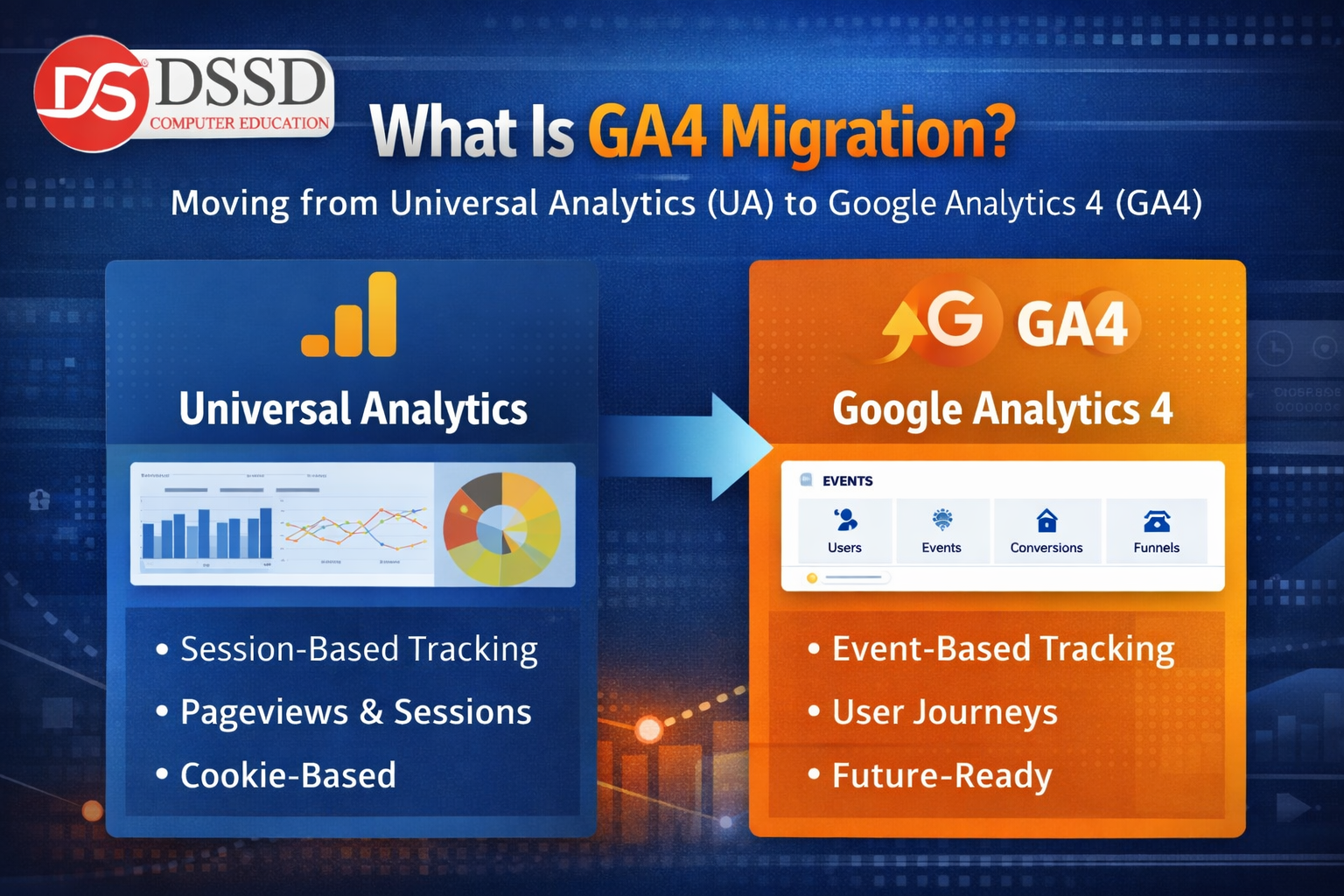
| Universal Analytics | Google Analytics 4 |
|---|---|
| Session-based tracking | Event-based tracking |
| Limited user journey analysis | Advanced path & funnel analysis |
| Web-only properties | Web + app in one property |
| Less privacy-friendly | Privacy-first design |
Step-by-Step GA4 Migration Setup for Marketers
Create a GA4 Property
To start, sign in to Google Analytics and click on Admin. Using the GA4 Setup Assistant, you can make a new GA4 property in your current account.
This step makes sure that your GA4 property follows Google’s suggested structure and parameters.
Add a Website Data Stream
After the property is built:
The most important part of getting information from your website into your GA4 property is the data stream. In this stage, you’ll create a Measurement ID and installation instructions (like a Google tag) that you need to put on every page of your site. This configuration lets GA4 start gathering important information about site visits, user actions, and events.
- Choose Web as the stream for your data
- Type in the name of your stream and the URL of your website.
- Allow better measurement possibilities.
Install GA4 Tracking Code
Google Tag Manager (GTM) is the ideal tool for marketers.
Steps are as follows:
- Making a GA4 Configuration tag in GTM
- Adding the ID for the Measurement
- Setting the trigger to all pages
- Putting the container out there
The most important technical step is to install the GA4 tracking code, which is when you put the Google tag (with your unique Measurement ID) on your website. This lets you collect and send data about how users interact with your site, such as page views, clicks, and events, directly to your GA4 property for analysis.
Configure Default and Custom Events
- Page views
- Scroll tracking
- Outbound clicks
- File downloads
For better marketing insights, configure custom events like:
- Form submissions
- Lead button clicks
- Purchases or sign-ups
These events help measure campaign effectiveness accurately.GA4 Migration Guide

Mark Important Events as Conversions
Marking important events as conversions means choosing key user actions, like purchases, form submissions, or lead generation clicks, in your GA4 property so that they can be tracked as main success metrics. This starts dedicated reporting, lets you create goal-based audiences, and adds these actions to important marketing and attribution analysis. Navigate to Configure → Events and mark high-value events as Conversions. GA4 Migration Guide
Conversions help marketers:
- Track leads and sales
- Measure campaign ROI
- Optimize ad performance
Integrate GA4 With Marketing Tools
By connecting GA4 Migration Guide like Google Ads, Search Console, and CRM platforms, you create important data connections that let insights and audiences flow smoothly. This lets you accurately attribute campaign performance, improve customer profiles, and use your analytics data to get the most out of your advertising budget and tailor user journeys. To unlock GA4’s full potential, connect it with:GA4 Migration Guide
- Google Ads for conversion tracking
- Google Search Console for SEO performance
- Big Query for advanced data analysis
These integrations provide a complete marketing analytics ecosystem.GA4 Migration Guide
Best Practices for GA4 Migration
Adhering to GA4 migration best practices means starting early to allow for data parallel-running, meticulously auditing and replicating your existing UA configuration—including events, conversions, and key audiences—while leveraging new GA4 features like enhanced measurement, then rigorously validating data quality post-setup, and finally, training your team on the updated reporting interface to ensure a seamless transition that protects historical insights while unlocking future-proof analytics. To get the most value from GA4:-GA4 Migration Guide
- Customize events based on business goals
- Regularly review exploration reports
- Build audiences for remarketing
- Validate data accuracy after setup
Following best practices ensures long-term success.
Common GA4 Migration Mistakes to Avoid
GA4 Migration Guide Common GA4 migration mistakes to avoid include delaying the setup until after Universal Analytics sunsets, which forfeits critical historical data comparisons; failing to configure core events and mark key conversions, resulting in empty reports; neglecting to install the tracking code on all website pages or apps, creating data gaps; copying UA goals and tracking paradigms without adapting to GA4’s event-based model; and overlooking data validation and team training, leading to confusion and mistrust in the new data once the switch is mandatory.
Many marketers make these mistakes:
- Relying only on default GA4 tracking
- Not setting conversions properly
- Expecting UA-style reports
- Ignoring GA4 explorations and insights
Avoiding these mistakes improves data reliability.GA4 Migration Guide

Common GA4 Migration Mistakes Marketers Must Avoid
Marketers often make these basic GA4 migration blunders. Our vital guidance will help you make sure your data is correct, your events are tracked correctly, and your move from Universal Analytics goes smoothly.
Recommendation: The Detailed & Benefit-Oriented explanation is the greatest way to start a comprehensive guide since it points out the problems and offers a useful solution, which makes the reader want to keep reading.
- Relying Only on Default GA4 Setup
A lot of marketers think that GA4 will perform well as soon as they install it. GA4 automatically tracks basic events, but if you only use the default settings, you won’t see critical business actions like form submissions, button clicks, and events that generate leads.
Why it’s wrong :- Default tracking doesn’t show true marketing goals or conversions.
- Not Setting Up Events Properly
GA4 is completely event-based, yet a lot of marketers don’t set up specific events. Important user activities are still not being tracked, which means that the data is not full.
Why it’s wrong :- GA4 can’t effectively assess engagement or user intent without the right events.
- Forgetting to Mark Key Events as Conversions
Marketers need to do more than just keep track of events; they also need to say which ones are conversions. A lot of people forget this step.
Why it’s wrong :- GA4 can’t track leads, sales, or campaign success without conversions.
- Expecting Universal Analytics–Style Reports
Reporting in GA4 is not the same as in Universal Analytics. A lot of the time, marketers check for outdated UA reports and get puzzled or angry.
Why it’s a bad idea :- GA4 is more about exploring and user journeys than static reports.
- Ignoring Google Tag Manager (GTM)
Some marketers install GA4 directly on the website and skip Google Tag Manager.
Why it’s a mistake:–
Without GTM, managing events, tags, and future changes becomes complicated and time-consuming.
Conclusion
Moving to GA4 Migration Guide not just a technical requirement that has to be done by a certain date; it is also a smart investment in the future of your marketing intelligence. The move from Universal Analytics requires careful preparation and implementation, but the results are worth the work. By successfully completing this migration, you are not just replacing an old technology; you are also fundamentally improving your ability to grasp the complicated, cross-platform consumer experience.
GA4 Migration Guide event-based methodology, focus on privacy, and extensive connection with platforms like Google Ads make it possible to track things accurately in a world without cookies, get more detailed information about how users behave, and do more advanced analyses of marketing performance. When you set up GA4 correctly, with careful event planning, conversion monitoring, and platform connectors, it goes from being a simple reporting dashboard to the brain of your digital strategy. It lets you go beyond last-click attribution, create predictive audiences, and link user activities directly to business results. The effort you do today to move your data appropriately will not only help you collect it, but also turn it into useful insights that will help you make better decisions, use your resources more effectively, and expand your organisation in a way that lasts for years to come.